In the realm of digital living, cultivating top cybersecurity habits is paramount. This comprehensive guide dives into the essential practices that can fortify your online security, empowering you to navigate the digital landscape with confidence and peace of mind.
From creating robust passwords to recognizing phishing scams, this exploration equips you with the knowledge needed to protect your personal information in the virtual sphere.
Importance of Cybersecurity Habits
In today's digital age, cybersecurity habits play a crucial role in safeguarding personal information and sensitive data from cyber threats. By adopting good cybersecurity practices, individuals can protect themselves from various risks and potential cyber attacks.
Examples of Potential Risks
- Identity Theft: Without proper cybersecurity habits, individuals are at risk of having their personal information stolen and misused for fraudulent activities.
- Phishing Attacks: Cybercriminals often use phishing emails to trick individuals into revealing sensitive information such as login credentials or financial details.
- Ransomware: Lack of cybersecurity measures can make individuals vulnerable to ransomware attacks where their data is encrypted, and a ransom is demanded for its release.
Protecting Personal Information
By following cybersecurity habits such as using strong, unique passwords, enabling two-factor authentication, and keeping software up to date, individuals can protect their personal information from unauthorized access and data breaches.
Creating Strong Passwords
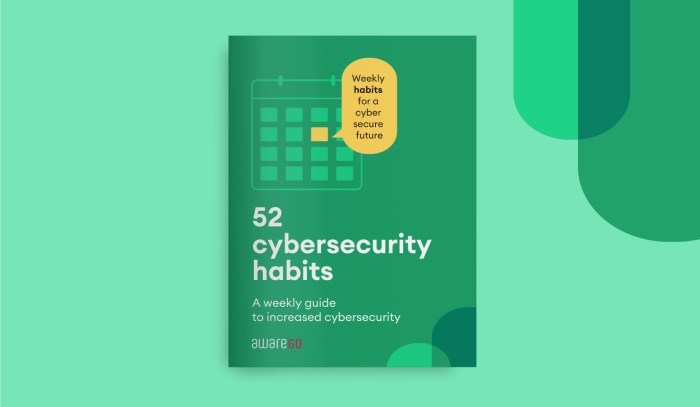
When it comes to cybersecurity, creating strong and unique passwords is crucial to protecting your sensitive information online.
- Use a mix of uppercase and lowercase letters, numbers, and special characters to make your password more complex and difficult to guess.
- Avoid using easily guessable information such as your name, birthdate, or common words as part of your password.
- Consider using a passphrase instead of a single word, as longer passwords are generally more secure.
- Use a password manager to generate and store unique passwords for each of your accounts.
Importance of Using Different Passwords
It is important to use different passwords for various accounts to minimize the risk of a security breach affecting all of your accounts simultaneously.
- If you use the same password for multiple accounts and one account is compromised, it can lead to a domino effect where all your accounts are at risk.
- Having unique passwords for each account adds an additional layer of security, making it harder for hackers to access all of your sensitive information.
- By using different passwords, you can contain the impact of a potential breach and protect your other accounts from being compromised.
Significance of Regularly Updating Passwords
Regularly updating your passwords is essential to maintaining the security of your accounts and safeguarding your personal data.
- Updating your passwords periodically reduces the likelihood of your accounts being hacked due to outdated or compromised passwords.
- Changing your passwords regularly can help you stay ahead of potential security threats and ensure that your information remains protected.
- By updating your passwords frequently, you add an extra layer of defense against cyberattacks and unauthorized access to your accounts.
Multi-Factor Authentication (MFA)
Multi-Factor Authentication (MFA) is a security measure that requires users to provide two or more verification factors to access an account. This adds an extra layer of protection beyond just a username and password, making it more difficult for unauthorized users to gain access to your digital accounts.
Benefits of Using MFA
- Enhanced Security: MFA significantly reduces the risk of unauthorized access to your accounts, even if your password is compromised.
- Prevents Account Takeover: The additional verification factors make it harder for cybercriminals to take over your accounts.
- Protects Sensitive Information: MFA adds an extra barrier to protect sensitive personal and financial information stored in your accounts.
Popular MFA Methods
- Text Message Codes: A one-time code is sent to your mobile phone for verification.
- Authentication Apps: Apps like Google Authenticator or Authy generate time-based codes for verification.
- Biometric Verification: Using fingerprints, facial recognition, or voice recognition for authentication.
Extra Layer of Protection
MFA adds an extra layer of protection by requiring users to provide a secondary form of verification in addition to their passwords. This could be a code sent to a mobile device, a fingerprint scan, or a biometric verification. Even if a hacker manages to obtain your password, they would still need the second factor to access your account, making it significantly harder for them to breach your security.
Keeping Software Updated
Keeping software and applications updated is crucial for maintaining cybersecurity in your digital lifestyle.
Risks of Using Outdated Software
Using outdated software exposes you to various risks:
- Security vulnerabilities: Hackers can exploit known vulnerabilities in outdated software to gain unauthorized access to your device or data.
- Malware attacks: Outdated software is more susceptible to malware infections, which can compromise your sensitive information.
- Compatibility issues: Older software may not work well with newer applications or hardware, leading to performance issues.
Setting Up Automatic Updates
To ensure your software is always up to date, consider these tips:
- Enable automatic updates: Most software and operating systems have an option to automatically download and install updates.
- Regularly check for updates: Make it a habit to manually check for updates if automatic updates are not available for certain applications.
- Update all software: Don't just focus on your operating system; remember to update all software and apps on your devices.
Avoiding Phishing Scams
Phishing scams are deceptive attempts to trick individuals into revealing sensitive information such as passwords, credit card numbers, or personal details. These scams often come in the form of emails, messages, or websites that appear to be from trusted sources.
Common Signs of Phishing Scams
- Unsolicited emails asking for personal information or login credentials.
- Emails containing spelling or grammar errors, or strange formatting.
- Links in emails that do not match the supposed sender's website.
- Threats of urgency or consequences if action is not taken immediately.
Tips to Verify Authenticity
- Double-check the sender's email address to ensure it matches the official one.
- Avoid clicking on links or downloading attachments from suspicious emails.
- Contact the supposed sender through a known, secure channel to verify the request.
Examples of Compromised Security
- Phishing emails pretending to be from a bank, leading to stolen login credentials and financial loss.
- Fake messages claiming to be from a trusted company, requesting sensitive information for a fake promotion.
- Websites imitating popular services to steal login details and personal data.
Epilogue
As we conclude this discussion on top cybersecurity habits for digital lifestyle, remember that implementing these practices is not just a choice but a necessity in today's interconnected world. By adopting these habits, you can proactively safeguard your digital identity and enjoy a safer online experience.
FAQ Guide
How often should I update my passwords?
It is recommended to update your passwords at least every three to six months to enhance security.
What are some common signs of phishing scams?
Common signs include unsolicited emails asking for personal information, urgent messages requiring immediate action, and unfamiliar senders.
Why is multi-factor authentication important?
Multi-factor authentication adds an extra layer of security by requiring more than just a password to access accounts, reducing the risk of unauthorized access.